
Google Earth

500M+
Installs
Google LLC
Developer
-
Travel & Local
Category
-
Everyone
Content Rating
-
http://www.google.com/policies/privacy
Privacy Policy
editor reviews
Google Earth is nothing short of a digital marvel. It has completely transformed how we perceive our planet, turning a simple map into an interactive, three-dimensional globe that fits right in your pocket. I have been using this app for years, and it never ceases to amaze me with its ability to whisk me away to the streets of Tokyo, the peaks of the Himalayas, or the depths of the Grand Canyon without ever leaving my couch. The app feels like a gateway to the world, offering not just satellite imagery but also a rich tapestry of geographical, historical, and cultural data. Its development has been a journey of constant refinement, moving from a desktop-only tool to a streamlined mobile experience that maintains the wow factor while being surprisingly user-friendly. The sheer ambition of stitching together billions of images into a seamless, navigable sphere is staggering, and Google has executed it with near-flawless precision. This is not just a map; it is a time machine, a flight simulator, and an educational encyclopedia rolled into one.
Choosing Google Earth over similar mapping applications like Apple Maps or specialized GIS tools was a no-brainer for me. While other apps excel at turn-by-turn navigation, they often lack the raw exploratory power that Google Earth provides. The key differentiator is the "Voyager" feature, which offers curated interactive tours from scientists, storytellers, and non-profits. It turns passive scrolling into active learning, letting you explore the effects of climate change on specific glaciers or follow the migration patterns of whales. Moreover, the integration with Google's vast database makes searching for any location instantaneous, even if you only have a vague memory of its name. I found that the learning curve is gentle enough for a casual user yet deep enough to satisfy an amateur cartographer. The 3D terrain and building rendering are second to none, making city skylines feel almost tangible. In a sea of utility-focused map apps, Google Earth stands out as an experience, not just a tool. It is the reason I deleted my other satellite view apps; this one simply does it all, and better.
If you have ever felt a pang of wanderlust or a curiosity about the world beyond your immediate surroundings, this app is your answer. Downloading Google Earth is like installing a window to the planet. It is free, ad-free, and packed with features that will keep you engaged for hours. Whether you are a student researching for a project, a traveler planning a route, or just someone who loves to gaze at the stars from a mountain top, Google Earth delivers. The augmented reality mode in the Sky feature even lets you point your phone at the night sky to identify constellations, which is a party trick I have enjoyed countless times. I cannot recommend this app enough; it bridges the gap between the digital and physical worlds with grace and innovation. So, do not wait, download it today and rediscover the wonder of our beautiful planet. It will change the way you see the map forever.
features
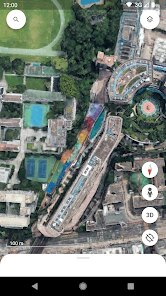
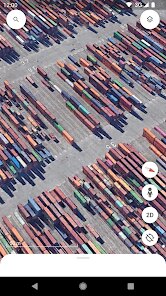
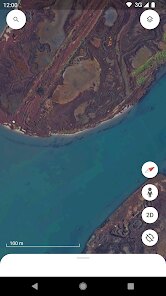
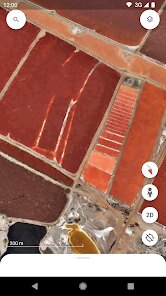
- 🌍 Explore Our Planet - The core experience is a fully interactive 3D globe that you can spin, tilt, and zoom into from satellite view down to street level. The transition is buttery smooth, and the high-resolution imagery makes you feel like a bird soaring over the landscape.
- 🧭 Voyager's Guided Tours - This is a curated collection of interactive stories and maps produced by experts and organizations. You can follow the journey of a refugee, witness the effects of deforestation, or take a walking tour of a historical city, all through a narrative lens that is both educational and emotional.
- 📸 Historical Imagery - This feature is a time-travel tool. By using the "Historical Imagery" slider, you can look at the same location across different years, decades, or even centuries. Watching urban sprawl develop or glaciers retreat over time is a powerful, visible proof of change.
- 📏 User-Created Maps - You can mark locations, draw paths, and add placemarks to create custom maps for personal use or to share. This is perfect for trip planning or for creating family memory maps, making it a personal scrapbook of the world.
- 🔭 Sky Mode - When you tilt the view downward, you can actually tilt it upward into the night sky. This mode lets you explore galaxies, stars, and constellations in stunning detail, turning your phone into a powerful astronomy tool.
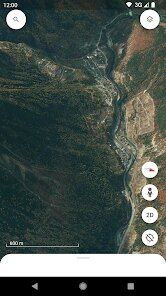
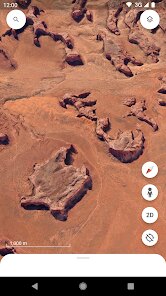
- 🏞️ Terrain and 3D Buildings - The app renders mountains, canyons, and other terrain with impressive depth, and major cities are overlaid with photorealistic 3D buildings. This makes urban exploration incredibly immersive, allowing you to virtually walk between skyscrapers.
pros
- 🚀 Unmatched Visuals - The satellite imagery is stunningly detailed and consistently updated. In my experience, the 3D rendering is far superior to competitors, providing a sense of scale and presence that is genuinely breathtaking.
- ⚡ Lightning-Fast Performance - Searching for a random address or landmark takes under a second. The app loads complex 3D scenes quickly, and even on an older phone, I rarely experienced lag or crashes, which is a testament to Google's optimization.
- 🎓 Educational Goldmine - It is an invaluable resource for schools and self-learners. The Voyager stories are expertly crafted and make complex topics accessible. I have used it to teach my kids about geography and world history, and they are always glued to the screen.
- 🧩 Seamless Integration - Signing in with a Google account syncs your saved spots across devices. You can also share locations directly to other apps or embed them in documents, making collaboration on projects or trip itineraries a breeze.
- 💸 Completely Free - There are no hidden fees, no premium tiers, and no annoying ads interrupting your exploration. You get access to all features, including the full Voyager library and historical data, without spending a cent, which is almost unbelievable for this level of quality.
- 🛠️ Versatile Tools - The measurement tools let you calculate distances or areas with a simple line or polygon. This has been handy for planning hiking routes or even measuring my backyard for a garden layout, adding practical utility beyond just looking at maps.
cons
- 📶 Requires Stable Internet - The app is heavily dependent on a strong data or Wi-Fi connection for smooth performance. When my signal drops, the app becomes practically unusable, and cached data is limited. This can be a dealbreaker for off-grid travel.
- 🧠 Steep Learning Curve for Advanced Tools - While casual browsing is easy, mastering the map creation, layer management, and keyboard shortcuts (if you use the desktop version) took me a while. The interface can feel cluttered for power users who want to do complex analyses.
- 🔋 High Battery Consumption - Because it is so graphically intensive, the app makes my phone run warm and drains the battery considerably faster than standard map apps. An hour of exploration can easily consume 30% of my charge, so I always need a portable charger.
- 🗺️ Sparse Data in Rural Areas - The imagery is incredible in urban and developed areas, but rural or remote locations often have outdated or low-resolution photos. The 3D terrain also becomes less detailed, which can be disappointing when exploring less-traveled regions.
- 📱 Storage Space Overflow - The app itself is not huge, but downloaded offline maps and cached data can accumulate quickly, eating up several gigabytes of storage. I have had to clear the cache regularly to free up space on my device.
Articles
![]()
How to Get Robux Safely Without Scams
![]()
How to Download Older Versions of Android Apps
![]()
How to Download Games on Google Play for the First Time
![]()
What Is an APK File for Android? Everything You Need to Know
![]()
Do Free Robux Generators Work?
![]()
Robux Pricing Guide (2026 Update): How Much Robux Really Costs
![]()
How to Avoid Scams in Roblox
![]()
Rarest Pets in Adopt Me! (2026 Update)
![]()
How to Trade Safely in Adopt Me! (So You Don't Lose Everything)
![]()
Secret Tricks Nobody Tells You in 'Steal a Brainrot'
![]()
Beginner Guide: Don't Lose Your Brainrot
![]()
How to Steal in 'Steal a Brainrot' Without Getting Caught (Or at Least Not Instantly)
![]()
Is Brookhaven RP Worth Playing? It Depends on What You’re Looking For
![]()
Why Blox Fruits Is So Popular? Here’s Why Everyone Keeps Playing It
![]()
Best Roblox Obby Games for Beginners (2026): Learn the Game Without Hitting a Wall
![]()
Top 10 Roblox Horror Games (2026): The Scariest Experiences You Can't Miss









Hot Apps
-
![]()
Cash App
Block, Inc.4.5

-
![]()
Chai: Chat AI Platform
Chai Research Corp.4.4 -
![]()
GroupMe
GroupMe4.5 -
![]()
PayByPhone
PayByPhone Technologies Inc .4.9 -
![]()
Blink Home Monitor
Immedia Semiconductor4 -
![]()
MyFitnessPal: Calorie Counter
MyFitnessPal, Inc.4.3 -
![]()
ChatGPT
OpenAI4.7 -
![]()
Sora by OpenAI
OpenAI4.7 -
![]()
Afterpay - Buy Now Pay Later
Afterpay3.8 -
![]()
Direct Express®
i2c Inc.4.3 -
![]()
Affirm: Buy now, pay over time
Affirm, Inc4.7 -
![]()
Google Home
Google LLC4.2 -
![]()
Ford™
Ford Motor Co.4.7 -
![]()
Duolingo: Language & Chess
Duolingo4.7 -
![]()
Snapmint: Buy Now, Pay in EMIs
Snapmint4.5 -
![]()
Uber - Request a ride
Uber Technologies, Inc.4.6 -
![]()
Google Chrome: Fast & Secure
Google LLC4.1 -
![]()
YouTube
Google LLC4.1 -
![]()
DoorDash - Food Delivery
DoorDash4.6 -
![]()
Google Gemini
Google LLC4.6 -
![]()
Klarna | Shop now. Pay later.
Klarna Bank AB (publ)4.3 -
![]()
TikTok
TikTok Pte. Ltd.4.4 -
![]()
Telegram
Telegram FZ-LLC4.2 -
![]()
Domino's Pizza USA
Domino's Pizza LLC4.7 -
![]()
Microsoft Copilot
Microsoft Corporation4.8 -
![]()
Zoom - One Platform to Connect
zoom.us4.1 -
![]()
PayPal - Send, Shop, Manage
PayPal Mobile4.3 -
![]()
Yuka - Food & cosmetic scan
Yuka App4.7 -
![]()
Google Maps
Google LLC4.2 -
![]()
ChatBot - AI Chat
X PhotoKit4.5





























Disclaimer
1.Appinfocenter does not represent any developer, nor is it the developer of any App or game.
2.Appinfocenter provide custom reviews of Apps written by our own reviewers, and detailed information of these Apps, such as developer contacts, ratings and screenshots.
3. All trademarks, registered trademarks, brand names and company names or logos appearing on the site are the property of their respective owners.
4.Appinfocenter abides by the federal Digital Millennium Copyright Act (DMCA) by responding to notices of alleged infringement that complies with the DMCA and other applicable laws.
5.If you are the owner or copyright representative and want to delete your information, please contact us [email protected].
6.All the information on this website is strictly observed all the terms and conditions of Google Ads Advertising policies and Google Unwanted Software policy.
7.Appinfocenter.com is an independent, information-only website which is 100% free to all the users.