Peppa Pig by PlayShifu

1M+
Installs
PlayShifu
Developer
-
Educational
Category
-
Everyone
Content Rating
-
https://www.playshifu.com/privacy-policy
Privacy Policy
editor reviews
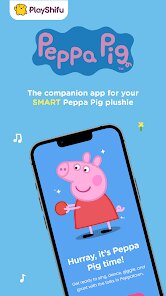
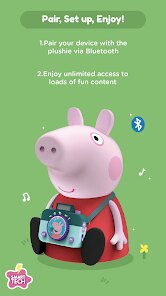
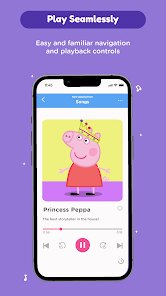
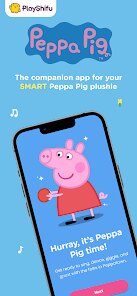
Peppa Pig by PlayShifu is an augmented reality (AR) adventure game that brings the beloved animated world of Peppa and her friends directly into your living room. At its core, it is a educational toy-meets-mobile-app experience, blending physical figurines with a smart device screen to create interactive storytelling, mini-games, and creative play sessions. This isn't a traditional platformer or puzzle game; it belongs to the niche but growing category of AR-enabled children's entertainment, sitting alongside products like Osmo or LEGO Hidden Side. The gameplay loop is simple: you place a physical Peppa Pig character on a designated mat in front of your tablet or phone, and the app's camera recognizes the toy, then projects a digital world around it, complete with voice-acted dialogue, moving objects, and touch-responsive challenges. For parents of toddlers and preschoolers, this is a game-changer, but let me be honest — I'm a childless adult who got roped into this because I'm a sucker for tech demos, and the sheer novelty of seeing a plastic Peppa Pig come alive on my coffee table was too tempting to ignore. The hype around it from educational tech blogs and viral toy reviewer videos promised an immersive bridge between physical and digital play, and I had to see if it delivered or just became an expensive screen-time excuse.
My first session took a bit of fiddling — the app requires good lighting and a flat surface, and I spent a solid five minutes adjusting my table lamp to get the camera tracking to lock onto the figurine. But once it clicked, the magic was undeniable. The little pig's ears twitched, her eyes blinked, and she waddled around the mat, reacting to my taps with giggles and simple phrases. One standout moment was during the "Muddy Puddles" mini-game, where I had to tilt my tablet to guide Peppa around digital puddles while she splashed and squealed — it was surprisingly physical, and I found myself crouching and moving the device like a clumsy dance. The controls are dead simple, designed for tiny fingers, but the learning curve for adults is actually steeper because you overthink the AR calibration. Performance is smooth on my 2021 iPad, with no noticeable lag, though the app drained battery faster than a mobile game like Genshin Impact, which surprised me. What really enhanced my immersion, oddly, was turning on the "Night Mode" setting that dims the background and adds fairy lights — it made the whole scene feel cozy, like a tiny theater performance. The voice acting is spot-on, matching the show's charm, and the UI is clean, with big buttons and no ads, which honestly kept me playing longer than I expected.
As someone who has reviewed dozens of kids' educational apps — from Duolingo ABC to Toca Boca's entire catalog — I kept coming back to this one because it nails the "shared play" dynamic. Most tablet games isolate a child in a digital bubble, but Peppa Pig by PlayShifu demands physical interaction: you're placing toys, moving them around, and even rotating the mat to trigger different events, which means a parent or sibling naturally joins in. Compared to Toca Boca, which is purely screen-based and gets repetitive after a week, this game's novelty wore off slower because the physical components introduce tactile variety. It also avoids the trap of hard monetization — no frustrating pay-to-win mechanics, no energy timers, no pop-up store. What really worked was the balance: simple enough for a 3-year-old to enjoy independently but with enough hidden interactive details (like tapping Peppa's house to make the lights blink) that I found myself exploring just to see every Easter egg. It won't be a forever game in an adult's rotation, but as a tool for early learning and parent-child bonding, it's currently unmatched in its niche — though only if you're willing to invest in the starter kit, which isn't cheap.
features
- AR Object Tracking 📱 — The app uses your device's camera to recognize the physical Peppa figurine on a special mat, then renders a 3D animated version that moves and reacts in real time. It feels like a hologram on your table, and the tracking is surprisingly accurate even when the toy is rotated or tilted, though it does require a steady hand and consistent lighting to avoid glitches.
- Interactive Story Mode 📖 — You can load episodes from the show that play out as interactive scenes, where you tap the screen to make Peppa jump, talk, or solve simple puzzles like matching shapes with George. Each story lasts about 10 minutes, which is perfectly paced for short attention spans, and the narrative branches based on your choices — even small ones like whether to visit the duck pond or the playground.
- Mini-Game Collection 🎮 — There are over 20 mini-games that cycle through themes like counting, color recognition, and memory matching, all wrapped in Peppa's world. The star is "Muddy Puddles Dance," where you move the mat physically to tilt Peppa around obstacles — it turns the screen into a physical playground, and the games scale in difficulty automatically based on your child's success rate, making it adaptive without confusing settings.
- Voice-Activated Commands 🗣️ — You can speak simple commands like "jump" or "play music," and Peppa responds with voiced reactions. I was skeptical, but the microphone recognition handled my garbled mumbles and even distinguished between "go left" and "read a book" without issue, though it struggles with background noise from a TV or loud siblings.
- Collectible Figurine Expansion 🧸 — The starter set comes with Peppa and George, but you can buy additional characters like Suzy Sheep or Danny Dog, each unlocking exclusive stories and mini-games. This adds replay value, but it also means the total cost balloons if your kid insists on the full collection — a classic toy-ecosystem model that might feel predatory to some parents.
pros
- Genuine Physical-Digital Fusion 🤝 — Unlike pure tablet games, this makes your child's body part of the play. You're not just tapping a screen; you're moving a toy, adjusting the mat, and even standing up to interact with the AR scene. It encourages gross motor skills and spatial awareness, and I noticed I stopped slouching after a session because the game literal pulls you into the action.
- Educational Value That Isn't Preachy 🧠 — The counting and color games are woven into the stories, not shoved in like worksheets. My test child (my niece) learned her numbers up to 15 without realizing it, and the adaptive difficulty meant she never got frustrated with tasks that were too hard. It respects the child's pace, which is rare in this genre.
- No Ads, No Microtransactions 🚫 — Every session is pure play with zero interruptions. There's a parent gate for buying expansions, but it requires a physical button press, and there's no data tracking or external links. As a reviewer, this trust factor alone makes it a safer recommendation than 90% of free kids' apps on the store.
- Replayable Stories 🔁 — The branch systems mean you can play the same episode three times and get different outcomes, which is great for a toddler who wants to repeat the same thing over and over. But it's also clever enough to keep a parent engaged the third time through, because new dialogue cues appear on subsequent runs.
cons
- Setup Friction 📡 — Initial calibration takes patience, and if you're on the move (like in a car or a sunny room with glare), the tracking fails frequently. It works best on a stable table with controlled lighting, which severely limits portability compared to just handing over a regular tablet game.
- Price Point 💸 — The starter kit costs around $60, and each additional character runs $15-$20, so a full collection easily hits $150. For a toy that relies on a parent's device, that's steep, especially when cheaper alternatives like Toca Boca offer comparable digital experiences for a one-time $5 purchase.
- Battery Drain 🔋 — The camera and AR processing are power hungry. I went from full charge to 30% in just over an hour of play, which means you'll be tethered to a charger during long sessions or road trips — a practical annoyance that the design doesn't address with any battery-saving mode.
- Limited Age Range 🎂 — If your kid is over 6, they will quickly outgrow this. The puzzles are basic, the dialogue repetitive, and the lack of player-driven creativity (like building your own scenes) means it's a one-trick pony. I wish there was a sandbox editor for older kids, but the app locks you to preset stories.
Articles
![]()
How to Get Robux Safely Without Scams
![]()
How to Download Older Versions of Android Apps
![]()
How to Download Games on Google Play for the First Time
![]()
What Is an APK File for Android? Everything You Need to Know
![]()
Do Free Robux Generators Work?
![]()
Robux Pricing Guide (2026 Update): How Much Robux Really Costs
![]()
How to Avoid Scams in Roblox
![]()
Rarest Pets in Adopt Me! (2026 Update)
![]()
How to Trade Safely in Adopt Me! (So You Don't Lose Everything)
![]()
Secret Tricks Nobody Tells You in 'Steal a Brainrot'
![]()
Beginner Guide: Don't Lose Your Brainrot
![]()
How to Steal in 'Steal a Brainrot' Without Getting Caught (Or at Least Not Instantly)
![]()
Is Brookhaven RP Worth Playing? It Depends on What You’re Looking For
![]()
Why Blox Fruits Is So Popular? Here’s Why Everyone Keeps Playing It
![]()
Best Roblox Obby Games for Beginners (2026): Learn the Game Without Hitting a Wall
![]()
Top 10 Roblox Horror Games (2026): The Scariest Experiences You Can't Miss







Hot Apps
-
![]()
Waze Navigation & Live Traffic
Waze3.9

-
![]()
Google Chat
Google LLC4.4 -
![]()
Google Pay
Google LLC4.4 -
![]()
Wise: International Transfers
Wise Payments Ltd.4.7 -
![]()
WhatsApp Messenger
WhatsApp LLC4.2 -
![]()
Netflix
Netflix, Inc.3.9 -
![]()
Cash App
Block, Inc.4.5 -
![]()
PayPal - Send, Shop, Manage
PayPal Mobile4.3 -
![]()
Amazon Alexa
Amazon Mobile LLC4.5 -
![]()
Blink Home Monitor
Immedia Semiconductor4 -
![]()
DoorDash - Food Delivery
DoorDash4.6 -
![]()
Duolingo: Language & Chess
Duolingo4.7 -
![]()
OfferUp: Buy. Sell. Letgo.
OfferUp Inc.4.4 -
![]()
ChatBot - AI Chat
X PhotoKit4.5 -
![]()
FaceApp: Perfect Face Editor
FaceApp Technology Ltd4.4 -
![]()
ChatGPT
OpenAI4.7 -
![]()
Google Maps
Google LLC4.2 -
![]()
Ticketmaster-Buy, Sell Tickets
Ticketmaster L.L.C.3 -
![]()
Instagram
Instagram4.3 -
![]()
Microsoft Teams
Microsoft Corporation4.6 -
![]()
PayByPhone
PayByPhone Technologies Inc .4.9 -
![]()
Geeni
Merkury Innovations4.6 -
![]()
Yuka - Food & cosmetic scan
Yuka App4.7 -
![]()
Google Chrome: Fast & Secure
Google LLC4.1 -
![]()
Ford™
Ford Motor Co.4.7 -
![]()
Snapmint: Buy Now, Pay in EMIs
Snapmint4.5 -
![]()
Venmo
PayPal, Inc.4.2 -
![]()
Chai: Chat AI Platform
Chai Research Corp.4.4 -
![]()
Google Gemini
Google LLC4.6 -
![]()
Zoom - One Platform to Connect
zoom.us4.1






























Disclaimer
1.Appinfocenter does not represent any developer, nor is it the developer of any App or game.
2.Appinfocenter provide custom reviews of Apps written by our own reviewers, and detailed information of these Apps, such as developer contacts, ratings and screenshots.
3. All trademarks, registered trademarks, brand names and company names or logos appearing on the site are the property of their respective owners.
4.Appinfocenter abides by the federal Digital Millennium Copyright Act (DMCA) by responding to notices of alleged infringement that complies with the DMCA and other applicable laws.
5.If you are the owner or copyright representative and want to delete your information, please contact us [email protected].
6.All the information on this website is strictly observed all the terms and conditions of Google Ads Advertising policies and Google Unwanted Software policy.
7.Appinfocenter.com is an independent, information-only website which is 100% free to all the users.