ADVERTISEMENT
Has a Toca gift disappeared from your world?
A clear description of a missing gift can make troubleshooting easier. Choose an option below to explore the guide.
Protect the World You Have Already Built

ADVERTISEMENT
Where Did the Gift Problem Begin?
ADVERTISEMENT
Missing a Free Toca Boca World Gift? Check These Details Before Resetting
A missing free gift can be frustrating, especially when it was part of a room or story you carefully arranged. Before resetting Toca Boca World, work out what is missing and when you last saw it. A current gift you have not collected, an object moved somewhere in your world, and a previously claimed item that disappeared are different problems.
This guide focuses on gathering useful information and protecting your existing game. It does not promise that every past gift can be recovered or that a particular reset will solve your issue. Use the official Toca Boca help center for the current steps that match your situation, because gift availability and troubleshooting instructions can change.
Identify the Item Rather Than the Whole Screenshot
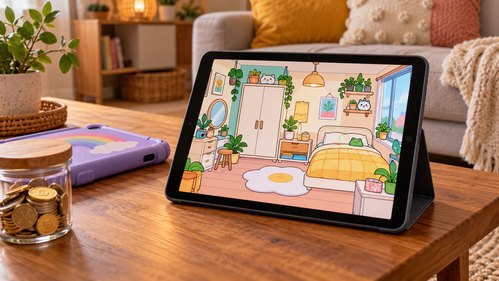
If you first saw the item in a video, look closely at what the creator is actually showing. A room may contain a free gift alongside paid content and ordinary objects from other locations. Write down a short description of the specific object you want to find. Its color, shape, or theme can help distinguish it from similar items.
Check when the video was published and whether it describes a current release or an older collection. The official gift article says weekly gifts have a limited claiming window. That does not mean every item visible in an old video remains available today. A missing current offer and an unclaimed historical gift should not be treated as the same support problem.
Separate Claimed From Unclaimed
Think back to whether you actually collected the gift in your game. Seeing an announcement is not the same as completing the collection step. If you are unsure, say so in your notes. A clear uncertainty is more useful than confidently telling support that something disappeared when you may never have claimed it.
For a gift you remember using, note where it was last placed and whether it was carried by a character or moved during a story. Check the places you normally use for storage before changing settings. This is a practical search, not a claim that every missing object will be found in a particular room or location.
Start With the Official Instructions
Open the current help article about missing claimed gifts and read the complete procedure before following individual steps. Notice any warning about resetting, reinstalling, or changing saved arrangements. A short social-media comment may omit those consequences even when it mentions a step from the official guide.
If you are a child, ask a parent or trusted adult to help review instructions that affect the app or device. Avoid deleting the game simply because someone says it worked for them. Two players can have different devices, versions, and histories, so a successful outcome in a comment does not guarantee the same result for your world.
Record What Changed Around the Problem
Note whether the issue appeared after an update, a crash, a device change, or an action you took in the game. These details do not prove the cause, but they help describe the sequence. Include the app version and device type if the official support form asks for them. Keep your wording factual and short.
For example: 'I used the blue gift object in this room yesterday. After reopening the game today, I could not find it. I have checked these locations and have not reset the world.' That explanation is easier to follow than 'Everything is broken.' Attach only relevant screenshots through the official support route, with unrelated personal details removed.
Know What Purchase Restoration Does Not Prove
A free gift and a purchased content pack have different histories. Do not assume that a purchase-restoration option is a universal recovery tool for every free item or every saved room arrangement. Read the help article for the type of content involved, and ask support if the distinction is unclear.
If you changed devices, describe both the old and new setup when requesting help. Avoid promising yourself that all progress can be transferred until the official guidance confirms what is supported. Keep the original device and its data intact while you investigate, when possible. This preserves options and avoids replacing a missing-item question with a larger data-loss problem.
Avoid Recovery Offers From Strangers
Someone offering to unlock all gifts may ask you to install an altered app, share account details, or complete unrelated tasks. Those requests do not establish an official recovery method. Stay with the official game distribution and support channels. A disappointing answer about availability is still more useful than a promise that risks your device or collection.
While waiting for a reply, continue a story using another object rather than repeatedly changing the game to chase one result. You can leave a space for the missing item or substitute something with a similar role. This keeps play enjoyable without pretending the problem has been solved. Follow up through the same support conversation if new information becomes available.
Write a Support Request Someone Can Follow
Describe one missing item rather than saying that everything is broken. Include the approximate time you last saw it, whether you remember claiming it, and the device and game version you are using. If several things changed, list them in order: an update, a device switch, then the first time you noticed the problem. That sequence helps support understand what to investigate.
Attach a relevant screenshot only when the official support channel asks for one, and crop unrelated personal information. Never include passwords, verification codes, or payment-card details. Keep a copy of your message so you do not repeat destructive troubleshooting while waiting. If support recommends a reset or another action affecting saved play, ask what it changes and what information you should retain before proceeding.
Write a Support Request Someone Can Follow
Observation | Useful detail | Avoid concluding |
|---|---|---|
Gift never appeared | Which gift and when you checked | That a past gift must still be available |
Claimed item is missing | Last known location and recent changes | That reinstalling will recover it |
Purchased content is absent | Store platform and purchase reference via official support | That free gifts and purchases restore identically |
Problem follows a device change | Old and new device platforms | That progress transfers automatically |
Frequently Asked Questions
Q1: Should I reset as soon as a gift is missing?
A1: Read the current official instructions and their warnings first. Resetting can affect your world, and the right step depends on the specific problem.
Q2: Can I collect every gift shown in an old video?
A2: Do not assume so. Gift availability can be limited, and the video may include content that is no longer claimable or was obtained differently.
Q3: What should I send to support?
A3: Describe the item, when you last saw it, your device and app version if requested, and the steps already tried. Use relevant screenshots through official channels.
Q4: Does restoring purchases recover free gifts?
A4: Do not treat those as the same process. Check the official guidance for missing gifts and for purchased content separately.
Investigate Before Changing Your World
Identify the object, check the correct help article, and keep a concise record. Those steps give you a clearer support request while protecting the rooms and stories you already enjoy.