ADVERTISEMENT
Which Toca content would actually improve your next story?
A clear story idea makes content choices easier. Open an option below to plan your next build.
Build Around a Story You Want to Play

ADVERTISEMENT
Where do you want to start?
ADVERTISEMENT
Free Gifts or Paid Packs in Toca Boca World? Build a Content Plan Around Your Stories
A room in a Toca Boca World video can look like the perfect next project until you realize that you do not own half the objects. Before turning that moment into a shopping list, decide what you liked about the scene. Was it the color arrangement, the characters' activity, or one specific item? Those are different needs, and they do not all require new content.
A useful content plan starts with a story you want to play. It helps you enjoy free gifts and existing items while making any optional purchase more deliberate. You can use this approach alone or with a parent, especially when videos make every new pack seem essential.
Describe the Scene in One Sentence
Write something concrete, such as “Two characters are preparing a surprise party” or “A small shop has mixed up its deliveries.” This sentence tells you what the scene needs to do. It is more useful than a broad goal such as owning everything from a creator's room tour.
Next, identify three essential roles for objects: somewhere to gather, something to deliver, or a place to display the surprise. Look for items you already have that can fill those roles. Their appearance does not have to match the video exactly. A workable substitute can preserve the story while giving your version its own personality.
Inventory Before Opening the Store
Check the locations and objects already available in your own game. Group useful items mentally or with a simple note: seating, containers, food, decorations, and clothing. Avoid spending a whole session cataloguing every object. You only need enough information to build the scene you chose.
If you share a device, ask before moving someone else's carefully arranged objects. A quick screenshot can help you remember an arrangement, but it is not a promise that the game can automatically restore it. Agree on which space is available for the new project so creative play does not become a dispute over an existing room.
Understand the Different Content Routes
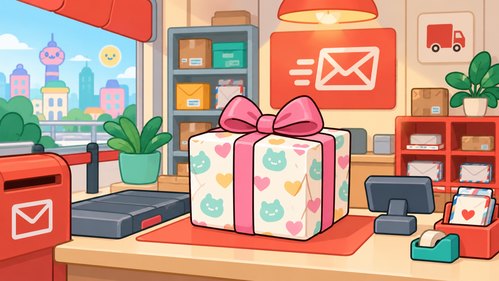
Toca Boca's official guidance describes free weekly gifts collected at the Post Office in Bop City, with the latest app version. Current instructions explain the gift button and opening the gift. Check those instructions for the current collection process rather than assuming that an old video shows the available gift.
Compare content routes before spending
Route | What it offers | What to verify | Spending decision |
|---|---|---|---|
Existing owned content | Items you can use in your current world | Whether the required objects are already available | No new purchase needed |
Official weekly gift | A regularly offered free item through the official gift route | Current availability and latest game version | No pack purchase required to claim the weekly gift |
Optional paid content | The items or locations specified in the displayed offer | Exact contents, local price, and purchase approval | Buy only if the actual contents fit your plan |
Creator video | An example of a scene someone built | Which objects come from which sources | Watching does not establish that all items are free |
A weekly gift is not a guarantee that the other objects shown beside it are included. A creator may combine free gifts, existing content, and paid items in one scene. Identify the specific object you want before drawing conclusions about where it comes from.
Build a Free Version First
Give yourself one short session to make the scene using only what is already available. Place the essential objects first, then run through the story. If the characters can complete the main activity, you already have a playable version. Decorations can come afterward.
Notice what is genuinely missing. “I need a different color” is different from “I cannot create the activity I planned.” Even a missing activity may have a creative substitute. A delivery story can use a different container, and a celebration can focus on a surprise conversation rather than a particular decoration. The first build helps separate a functional need from a passing visual preference.
Review an Optional Purchase as a Specific Offer
If you still want paid content, read the contents shown in the official purchase flow. Do not assume that a video thumbnail represents everything included. Check the local displayed price and any applicable taxes or store conditions with the person responsible for purchases. Prices can differ by market and change over time.
Write down the exact reason for wanting it. For example, a particular location might support several stories you already have in mind. That is a clearer reason than buying because a creator says the pack is essential. Keep the item on a wish list if you are unsure, then revisit it after trying the free version of your project.
Set a Budget That Does Not Depend on Buying
Choose a spending limit before browsing optional offers. A limit can be zero. It is a boundary for the household, not a target that must be used up. If a purchase would exceed the available amount, save the idea for later or choose a different scene.
For a simple illustration, suppose a household has a fictional $12 entertainment allowance and considers a hypothetical $5 purchase. That leaves $7, before any extra taxes. A second $5 purchase would leave $2. These numbers are not current Toca Boca prices. The arithmetic shows why reviewing the total matters more than judging each request separately as a small amount.
Keep a Useful Wish List
A good wish list contains the content name, the story it would support, and an alternative you could use now. Avoid keeping a list of every object missing from every video. That turns browsing into a permanent feeling of being behind.
After a few play sessions, remove items that no longer interest you. If you make a purchase, check whether it actually helped you create the planned scene. That review can improve the next decision without making play feel like homework. A small collection used in many ways can be more satisfying than a large collection you rarely explore.
Avoid Shortcuts That Promise Everything
Be cautious when a supposed free-content guide asks for a separate download, account details, or payment outside the normal purchase process. A screenshot of unlocked content does not establish that a method is official or safe. Use the official game and support guidance to resolve questions about gifts or purchases.
If content is missing, distinguish a free gift from a paid purchase before troubleshooting. Keep relevant details and consult the appropriate official instructions. Do not reset or reinstall impulsively simply because a stranger promises it will reveal more items.
Frequently Asked Questions
Q1: Do I need paid packs to make interesting stories?
A1: No. Start with a clear activity and available props. A small scene with a beginning, a problem, and an ending can be engaging without additional purchases.
Q2: Does a free gift include an entire room from a video?
A2: Not necessarily. Identify the gift itself and check the official information. Other objects in the room may come from different content sources.
Q3: What should I check before buying a pack?
A3: Review the exact included content, local checkout price, approval requirements, and the story you want to create with it. Avoid relying only on a creator's thumbnail.
Q4: How long should an item stay on my wish list?
A4: Choose a waiting period that suits your household. The useful test is whether you still want it after trying your current collection, rather than a fixed number of days.